
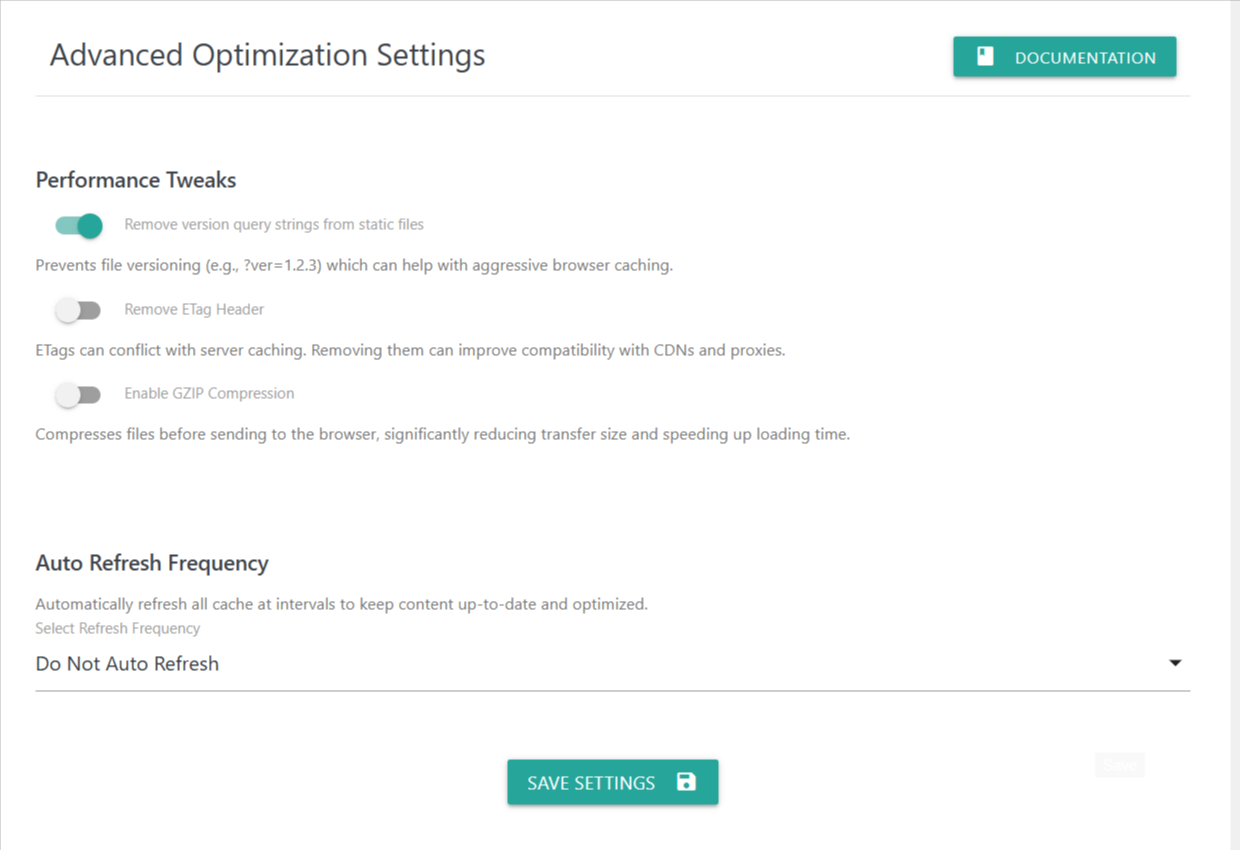
This section helps you fine-tune performance settings inside the plugin. Each option is designed to optimize speed, reduce loading time, and ensure your website delivers a fast, stable experience for users.
1. Remove Version Query Strings from Static Files
(Example: style.css?ver=1.2.3)
When enabled, this feature removes version numbers from CSS and JavaScript URLs.
Removing query strings can improve caching because many CDNs and browsers treat files without query parameters more efficiently. This helps with aggressive caching, improving repeat load times.
2. Remove ETag Header
ETags are validation headers used by servers to identify cached files.
In some environments—especially those using multiple servers, CDNs, or proxies—ETags can cause caching conflicts.
Enabling this option removes the ETag header to help improve compatibility with CDNs and ensure more consistent caching behavior.
3. Enable GZIP Compression
GZIP compresses your website’s files before sending them to the browser.
This reduces file size dramatically, resulting in faster page loading for visitors.
Most servers already support GZIP, and enabling this ensures all compatible content is compressed before delivery.
Auto Refresh Frequency
Automatically refreshes and regenerates cache at specific intervals to keep your website’s optimized content up-to-date.
Available Options:
Do Not Auto Refresh
No automatic regeneration. Cache is refreshed manually.Every 2 Days / 5Days / Weekly
These intervals trigger background refresh tasks that rebuild cache regularly, ensuring fresh content and updated optimization without manual actions.
Use this feature if your website content changes frequently or you want to ensure optimization remains current.
Save Settings
Click Save Settings after configuring your options.
This applies all changes instantly and updates your optimization behavior based on your chosen preferences.