
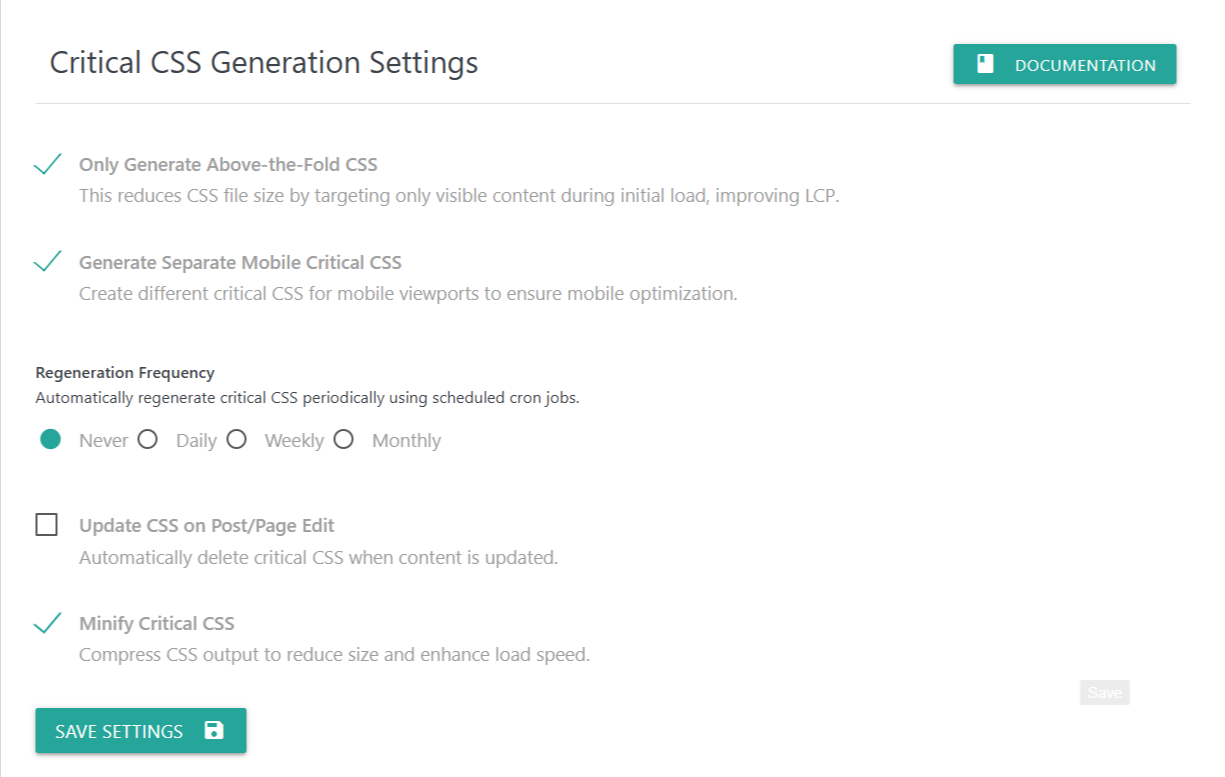
The Critical CSS module helps improve your website’s performance by extracting only the essential CSS required for the initial page load. This significantly improves First Contentful Paint (FCP) and Largest Contentful Paint (LCP) scores, resulting in faster, smoother page rendering.
Each setting below allows you to customize how your Critical CSS is created, regenerated, and optimized.
✅ Only Generate Above-the-Fold CSS
When enabled, the plugin only extracts CSS for content that is immediately visible when the page loads (above-the-fold content).
This reduces unnecessary CSS and improves initial loading speed, helping achieve higher Core Web Vitals performance.
Use this if:
You want leaner CSS
You want to reduce render-blocking styles
You want better LCP performance
✅ Generate Separate Mobile Critical CSS
Mobile screens render differently than desktop.
This option generates two different Critical CSS files:
One for desktop
One for mobile devices
This ensures optimized styling for mobile visitors and prevents layout shifts caused by desktop-orientated CSS.
Recommended if:
Your website uses responsive layouts
You have heavy mobile traffic
Your mobile design differs significantly from desktop
🔄 Regeneration Frequency
Automatically regenerate Critical CSS at scheduled intervals using WordPress cron jobs.
This ensures your Critical CSS stays updated whenever your design or theme changes.
Options include:
Never (default)
No automatic regeneration. CSS stays the same unless updated manually.Daily
Regenerates once every 24 hours.Weekly
Regenerates once a week.Monthly
Regenerates once a month.
Choose a frequency that matches how often your site design changes.
⬜ Delete Critical CSS on Post/Page Edit
When enabled, the plugin will automatically delete and regenerate Critical CSS on Scheduled cron job when you update a post or page.
This is useful if:
You frequently edit content
Your layout changes often
You want fresh Critical CSS after every update
✅ Minify Critical CSS
This setting compresses the generated Critical CSS by removing spaces, comments, and unnecessary characters.
Minified CSS reduces file size and improves loading speed, especially for visitors with slow networks.
Recommended for all users.
💾 Save Settings
Click Save Settings to apply the selected options.
Your Critical CSS generation behavior will update immediately.
Generate and serve above‑the‑fold CSS to speed up First Contentful Paint; optionally separate mobile CSS and
auto‑update.
Features
- Above‑the‑fold only or full‑page variants.
- Separate mobile CSS; periodic update; delete on post change; minify.
Recommended Setup
- Enable “Above fold only”.
- Enable “Separate mobile” if your theme uses very different mobile layout.
- Enable minify; schedule weekly updates.
Steps
- Enable Critical CSS and choose options.
- Generate CSS for key templates (home, single, archive).
- Validate no FOUC/CLS issues; adjust above‑fold scope if needed.
- Schedule periodic refresh or trigger on content change.