
Why Only WPLL?
Boost Every Critical Aspect of Your WordPress Website Performance with Lightning Load Speed Optimization.
Why Lightning Load Speed Optimization is the Ultimate Choice for WordPress Speed Optimization
Lightning Load speed optimization stands out as the premier WordPress speed optimization plugin thanks to its powerful combination of performance features, seamless integration, and intelligent automation. Designed with both site owners and developers in mind, it delivers faster load times, better Core Web Vitals, and a smoother user experience—without requiring deep technical expertise. With robust functionality, an intuitive interface, and reliable support, WPLL empowers you to maximize website speed, boost engagement, and improve rankings in today’s competitive digital landscape.
Accelerate Your Website with Smart Asset Management
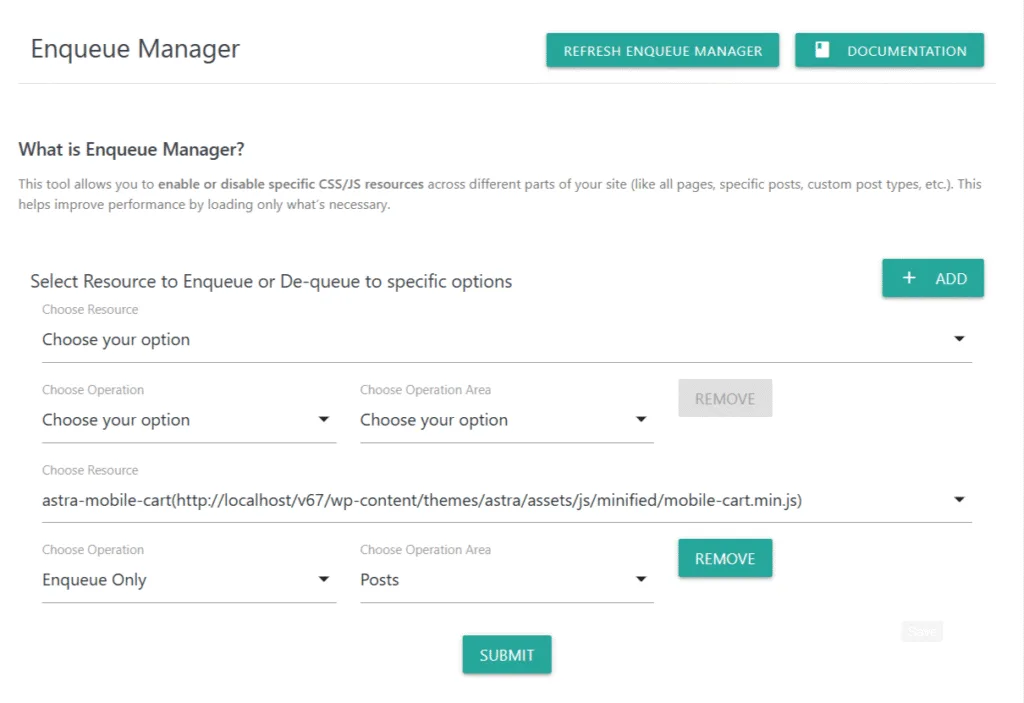
Lightning Load gives you full control over scripts and styles by allowing you to dequeue unused assets, move non-critical scripts to the footer, and apply async/defer attributes. By trimming the asset graph per template or post type, you reduce requests, cut blocking time, and optimize metrics like LCP, FCP, and TBT.
Optimize Images and Media for Lightning-Fast Loading
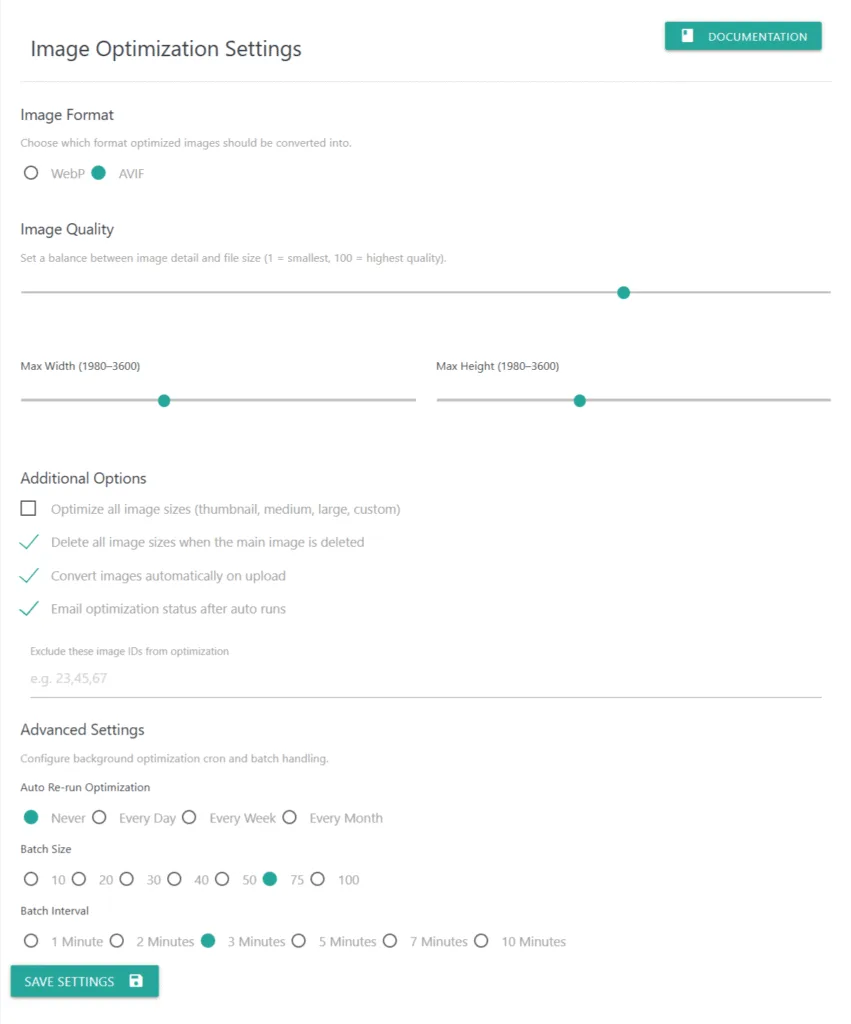
With automatic WebP/AVIF conversion, lazy loading, and bulk optimization tools, WPLL ensures your images are always lightweight and modern format-ready. This reduces bandwidth usage, improves visual performance, and keeps your media crisp without slowing down page rendering.
Smarter Critical CSS & Caching for Peak Performance
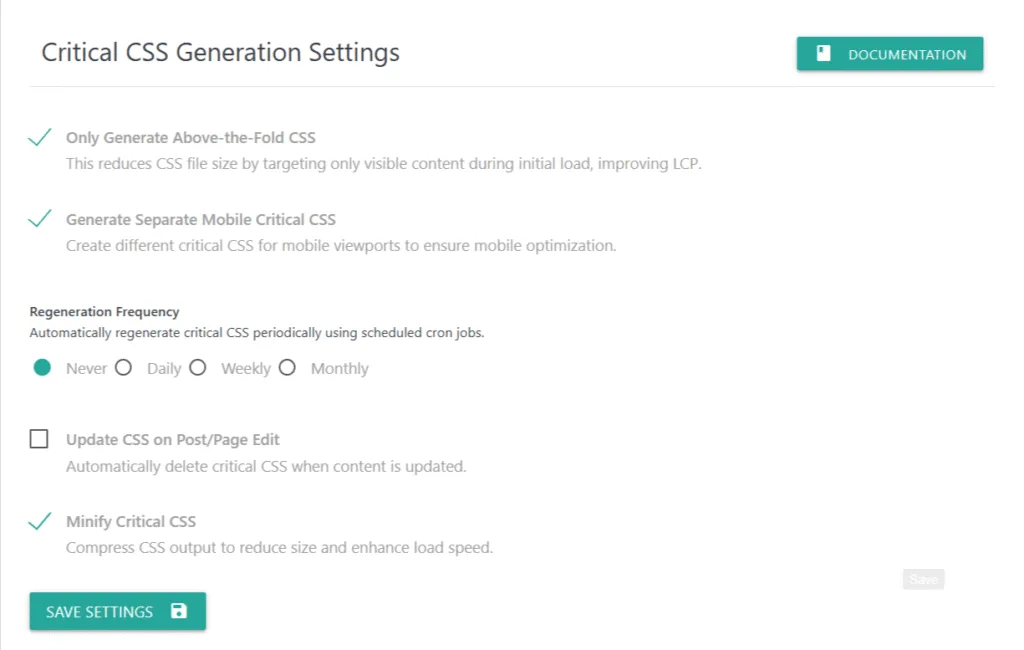
WP Lightning Load dynamically generates critical CSS per page using advanced rendering technology, ensuring above-the-fold content loads instantly. Combined with gzip compression, cache refresh scheduling, and advanced header controls, your site achieves near-instant responsiveness across devices.
User-Friendly Dashboard with Actionable Insights
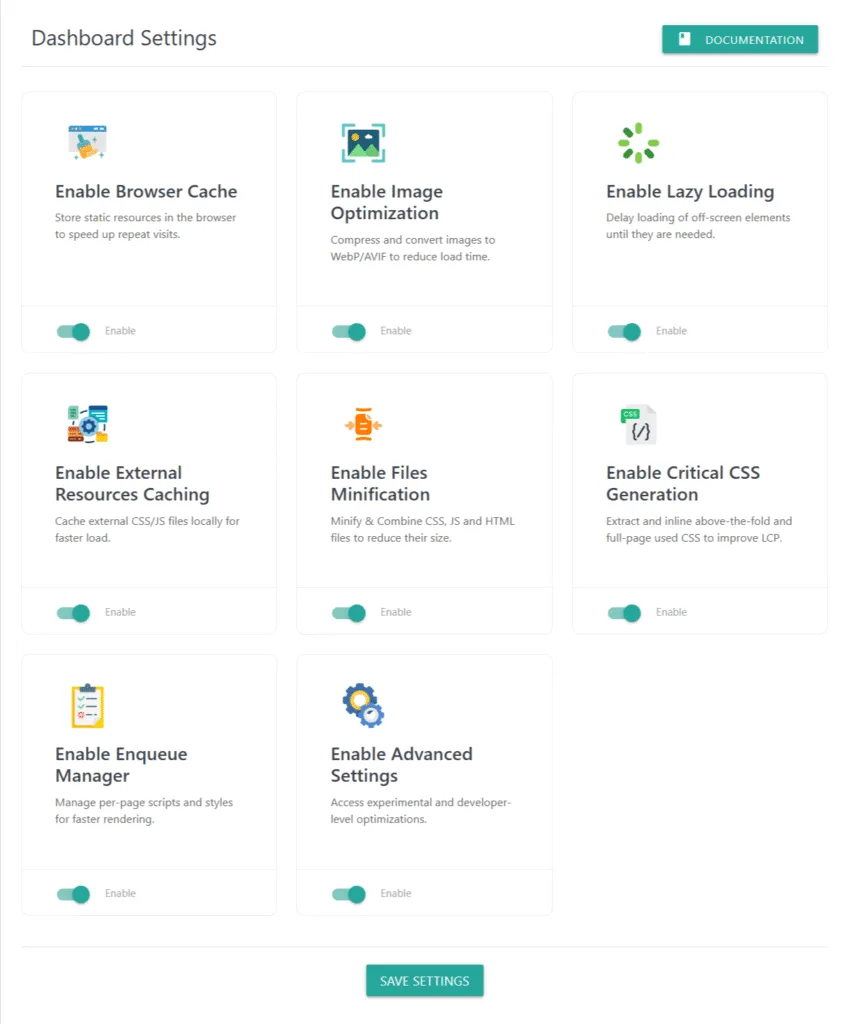
The WPLL dashboard is designed to make speed optimization easy to understand and manage. You’ll see simplified performance insights, logs, and status updates in a clear format—helping you make data-driven improvements without guesswork or technical complexity.
Priority Support to Keep Your Site Fast
With Lightning Load’s dedicated support, you can resolve issues quickly, implement advanced configurations, and receive expert guidance to stay ahead. Faster troubleshooting means your site stays optimized, conversions stay high, and your visitors stay engaged.
Customization Support for Unique Needs
Every site is unique. That’s why WPLL offers customization options to fine-tune features for your specific environment. Whether you need custom asset rules, deeper CDN integration, or advanced logging, our team can help align the plugin perfectly with your growth objectives.
✅ WP Lightning Load is not just another speed plugin—it’s your performance partner.
From smart asset management and media optimization to critical CSS generation and priority support, it ensures your WordPress site delivers the speed, stability, and user experience that modern audiences expect.
Frequently Asked Questions
Get Quick Answers About Your General Questions/Queries Related To Our Plugin.
Built through extensive research and real-world testing, Lightning Load is the result of a deep understanding of the performance challenges faced by WordPress websites. Our plugin integrates every essential speed optimization feature while avoiding unnecessary bloat that can slow sites down.
Enjoy the power of critical CSS generation, smart asset management, advanced caching, and next-gen image optimization (WebP/AVIF, lazy loading, bulk compression)—all in one highly optimized plugin. Every feature is engineered to maximize speed, reduce server load, and deliver a seamless browsing experience.
We take pride in providing cutting-edge optimization tools, reliable support, and frequent updates at a cost-effective price compared to competitors. WP Lightning Load ensures you achieve lightning-fast performance with minimal effort—empowering your site to load faster, rank higher, and convert better.
Lightning Load is fully compatible with all self-hosted WordPress.org websites. If your site is hosted on WordPress.com, you’ll need a Business Plan or higher to install external plugins like WP Lightning Load, since lower-tier WordPress.com plans don’t allow third-party plugin uploads.
You can use our official support page to submit a support ticket. Additionally, once you install the Pro version of Lightning Load, you can directly send us a support email from your WordPress dashboard.
Simply go to:
Admin Menu >> Lightning Load >> Contact Us
Fill out the form, and our team will receive your request instantly. We typically respond within 24 hours to your initial support inquiry.
Elivate your WordPress Website Performance With Us!
Priority Support
Our support team is filled with professionals who can quickly solve your any problem.
Regular Updates
We regularly maintaing our plugin so plugin remain updated and adds more and more new functions.
New Features and Enhancements
New features and enhancements for improved functionality and performance.
User-friendly documentation
Clear, concise, and easy-to-follow documentation for enhanced plugin usability.
Customization On Request
If you require customize solution for your website we are open to provide you with reasonable extra costing and timeline.
3 Days Free Trial
We offers 3 days free trial. So, you can try pro features before actual purchase.
Lightning Load Speed Optimization – 60+ Advanced Features to Accelerate Your WordPress Performance
Lightning Load Speed Optimization is a powerful all-in-one WordPress speed optimization plugin offering 60+ advanced features to dramatically boost performance. It handles minification, caching, lazy loading, image optimization, critical CSS, and advanced script control—all in one unified system. Perfect for achieving faster loading times, higher Core Web Vitals, and improved SEO rankings.
Browser Cache
Store static resources in the browser to speed up repeat visits.
Image Optimization
Compress and convert images to WebP/AVIF to reduce load time.
Lazy Loading
Delay loading of off-screen images, iframe and shortcodes until they are needed.
External Resources Caching
Cache external CSS/JS files locally for faster load.
Files Combining & Minification
Combine & Minify HTML, CSS, and JS files to reduce their size.
Critical CSS Generation
Extract and inline above-the-fold CSS to improve LCP.
Enqueue Manager
Manage per-page scripts and styles for faster rendering.
Advanced Settings
Access experimental and developer-level optimizations.
Easy Configuration
Configuration of plugin is too easy and make it start working in seconds.
Excellent 5 of 5 stars rating
Based on 5,000+ active real website integrations