
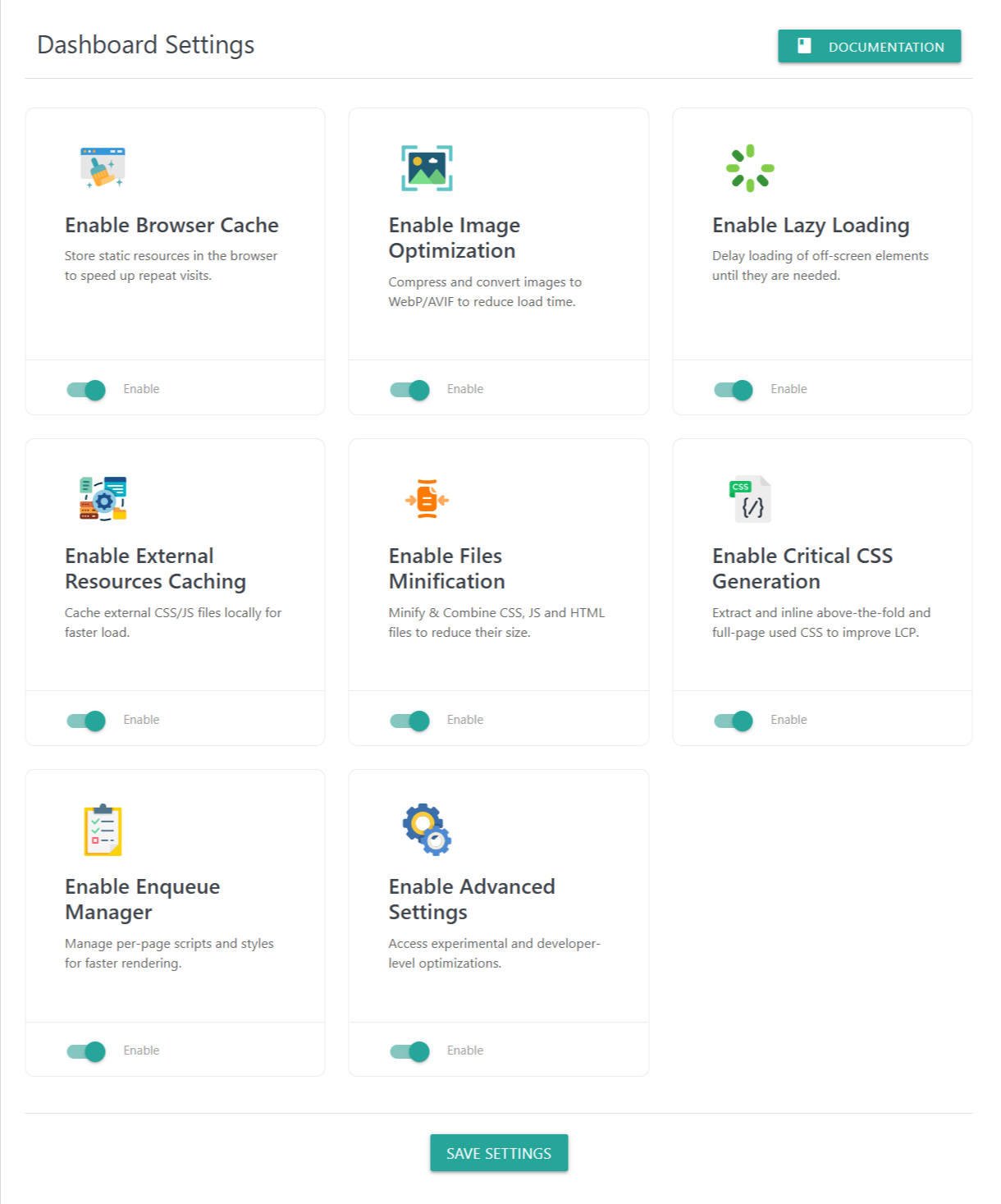
The Dashboard Settings screen gives you a quick, centralized way to enable or disable major optimization modules in the plugin. Each module focuses on improving performance, speeding up page loads, and enhancing Core Web Vitals.
Enabling a module activates its full set of features inside the plugin’s settings panels. You can fine-tune each module later in its dedicated section.
📦 1. Enable Browser Cache
Description:
Stores static resources (CSS, JS, images, fonts, etc.) in the visitor’s browser to speed up repeat visits.
Benefits:
Faster page loads for returning users
Reduced server load
Improved caching efficiency
🖼 2. Enable Image Optimization
Description:
Compress and convert images into modern formats like WebP or AVIF, reducing file size without losing quality.
Benefits:
Significantly faster image loading
Improved LCP scores
Efficient disk usage
Automatic optimization workflows
🕒 3. Enable Lazy Loading
Description:
Delays loading of off-screen images, videos, iframes, background images, and widgets until they are needed.
Benefits:
Reduced initial page weight
Faster rendering
Optimized experience for mobile users
Smooth scrolling performance
🌐 4. Enable External Resources Caching
Description:
Caches external CSS/JS (like Google Fonts, CDN scripts) on your local server for faster and more reliable loading.
Benefits:
Faster response times
No dependency on slower external servers
Improved stability and fallback behavior
🧩 5. Enable Files Minification
Description:
Minifies and optimizes CSS, JS, and HTML files by removing unnecessary characters.
Benefits:
Smaller file sizes
Faster load times
Better performance scores
Optional CSS inlining, JS deferring, and advanced minification
🟢 6. Enable Critical CSS Generation
Description:
Extracts and inlines above-the-fold and full-page critical CSS for faster initial rendering.
Benefits:
Improved LCP
Reduced render-blocking CSS
Smooth CSS delivery for desktop and mobile
Cron-based regeneration
🧾 7. Enable Enqueue Manager
Description:
Manage scripts and styles per page, post type, or site-wide, selectively enqueue or dequeue CSS/JS resources.
Benefits:
Removes unused CSS/JS
Reduces page bloat
Helps optimize performance-heavy themes and plugins
Ideal for developers and advanced users
⚙️ 8. Enable Advanced Settings
Description:
Unlocks experimental and developer-level optimizations, such as header control, caching behavior, and deeper performance tooling.
Benefits:
Fine-grained control
Advanced performance capabilities
💾 Save Settings
Press Save Settings at the bottom to apply your module configurations.
This activates or deactivates each optimization module instantly across your website.